Terraform pull request automation that runs inside of Kubernetes
github.com/runatlantis/atlantis
Updated: 2023-08-21
Additional documentation can be found on there website.
In my setup I will use a GitHub app to integrate with Atlantis
Where your see the following replace with your own
| Key | Description | Example |
|---|---|---|
| ORG | Your GitHub organization or GitHub username | github |
| URL | Your domain name | infrasec.sh |
Initial Setup
The first step is to bootstrap the GitHub app.
Pod Bootstrap
ATLANTIS_ATLANTIS_URLis the endpoint that will be exposed to the internet. I recommend to whitelist or user rules (traefik) to prevent anyone from accessing all endpoints.ATLANTIS_GH_ORG&ATLANTIS_REPO_ALLOWLISTneed your username or organizations name.- The rest can be left as defaults
|
|
Next you need to go to the atlantis url or port forward to setup the GitHub app.
https://atlantis.svc.infrasec.sh/github-app/setup
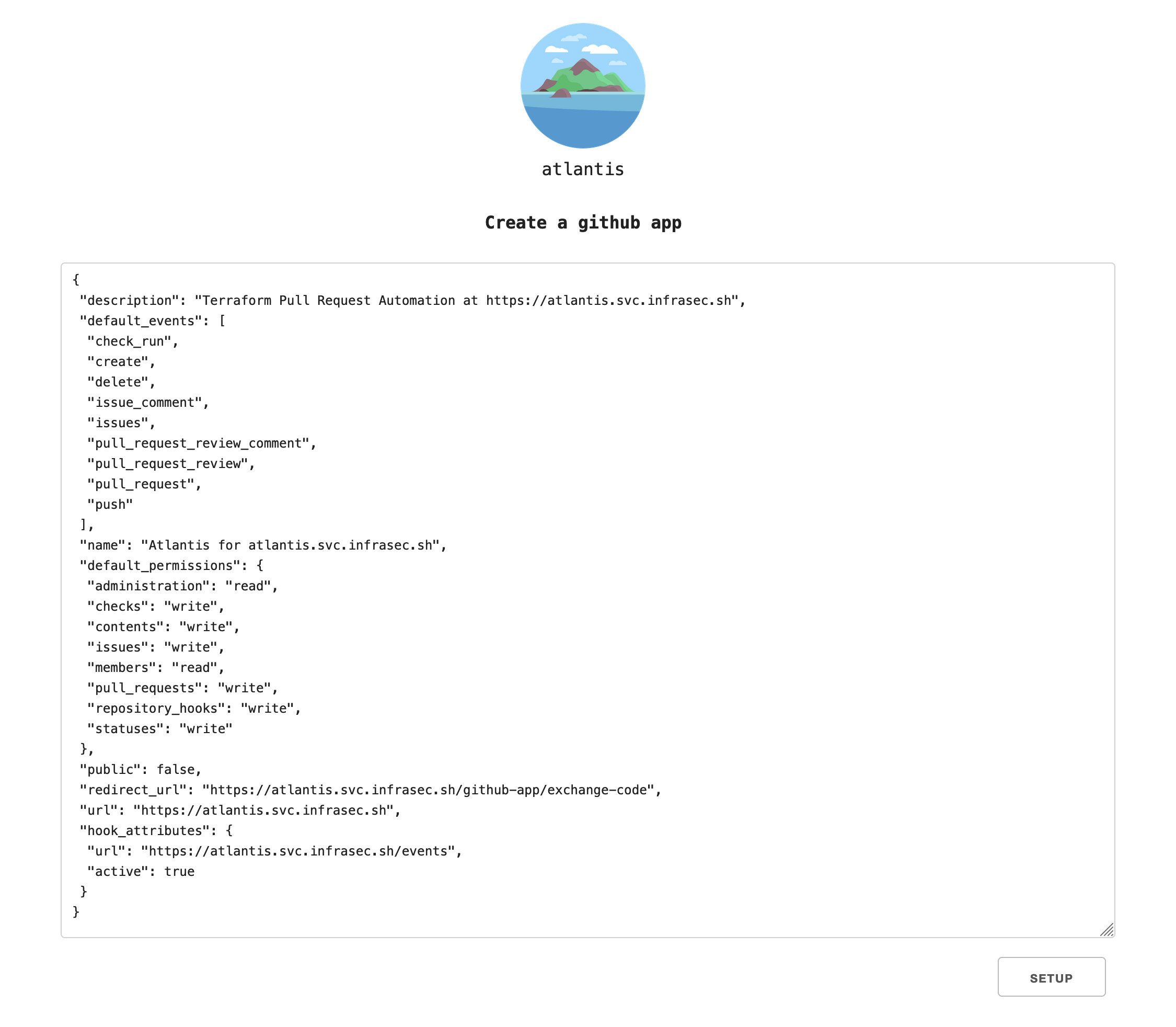
Click setup and follow through the GitHub steps for setting up an app.
Make sure to save the gh-app-id, gh-app-key-file, and gh-webhook-secret.
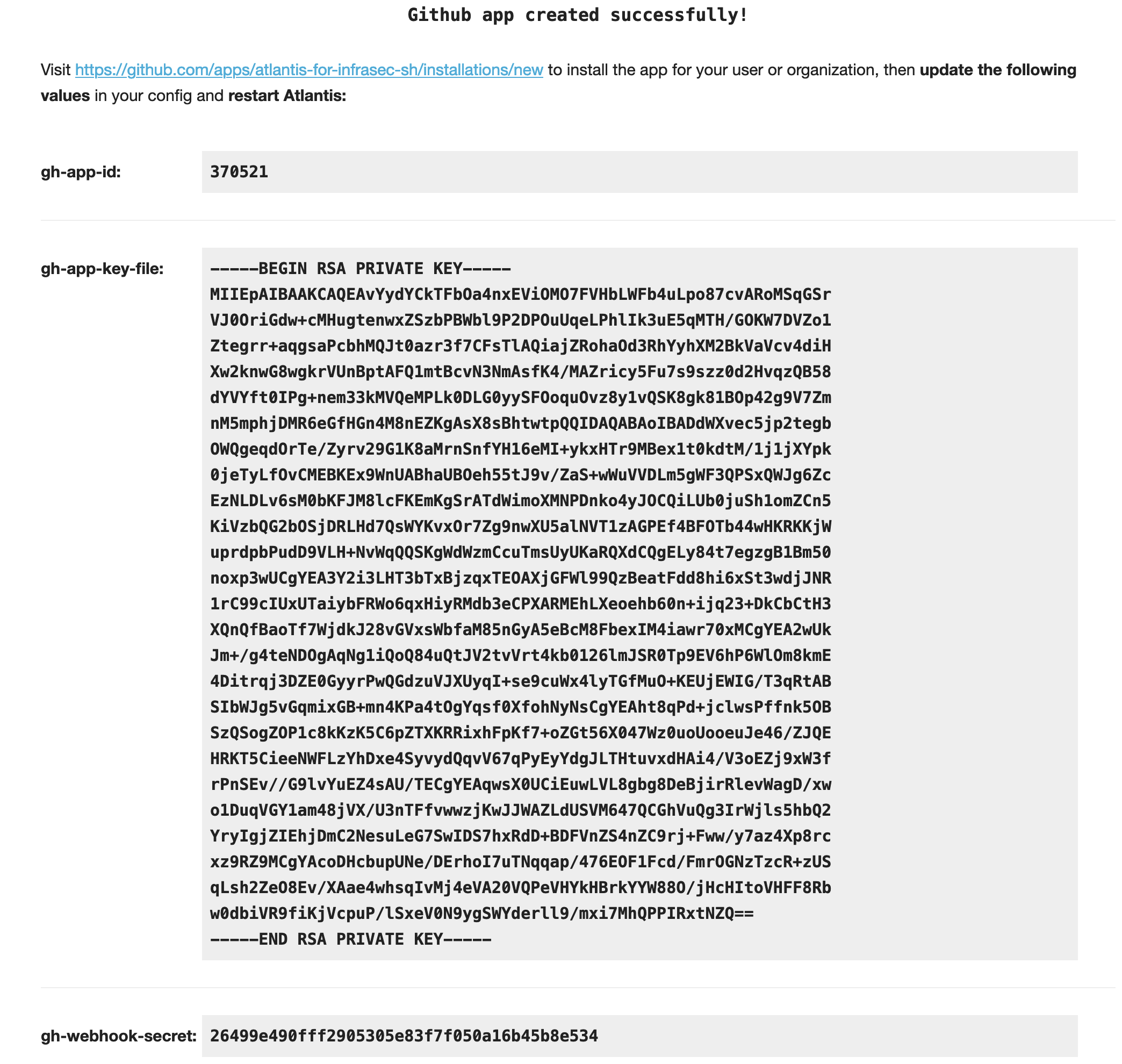
Follow the link to add the app. Select the repositories you would like to allow it access to.
You can now delete the pod used to bootstrap the app.
Setup Secrets
Create a new kubernetes secret (atlantis-secret) in the same namespace (atlantis) with the following values we got from setting up the GitHub app.
| Key | Value |
|---|---|
| ATLANTIS_GH_APP_ID | gh-app-id |
| ATLANTIS_GH_WEBHOOK_SECRET | gh-webhook-secret |
| ATLANTIS_GH_APP_KEY | gh-app-key-file |
Installation
Configurations
Create a new config map, it will be used to store custom configuration that Atlantis will use.
|
|
- The server config will only going to setup a prometheus metrics endpoint.
- The repository config will be applied to all projects and will run a default workflow of init, plan, and apply.
Application
Now we will create the container that will run Atlantis, its a StatefulSet because it needs a persistent incase the pod restarts.
Update the environment variable ATLANTIS_ATLANTIS_URL to your domain name.
What else does it do:
- The secret we created earlier is pulled into the containers environment variables
- Volumes are mounted containing our configmap and secret GitHub key for Atlantis
- We set resource requirements, my guess of what it they should be
- Create a five Gi volume that is used to store persistent plan data between pods
|
|
Depending on your workload you may need additional access to run your Terraform code. This can be done by adding it as environment variables or if you need AWS use service account roles.
Usage
Now when you open a pull request in an allowed repository, Atlantis will automatically run a plan and show you the changes that will be applied.
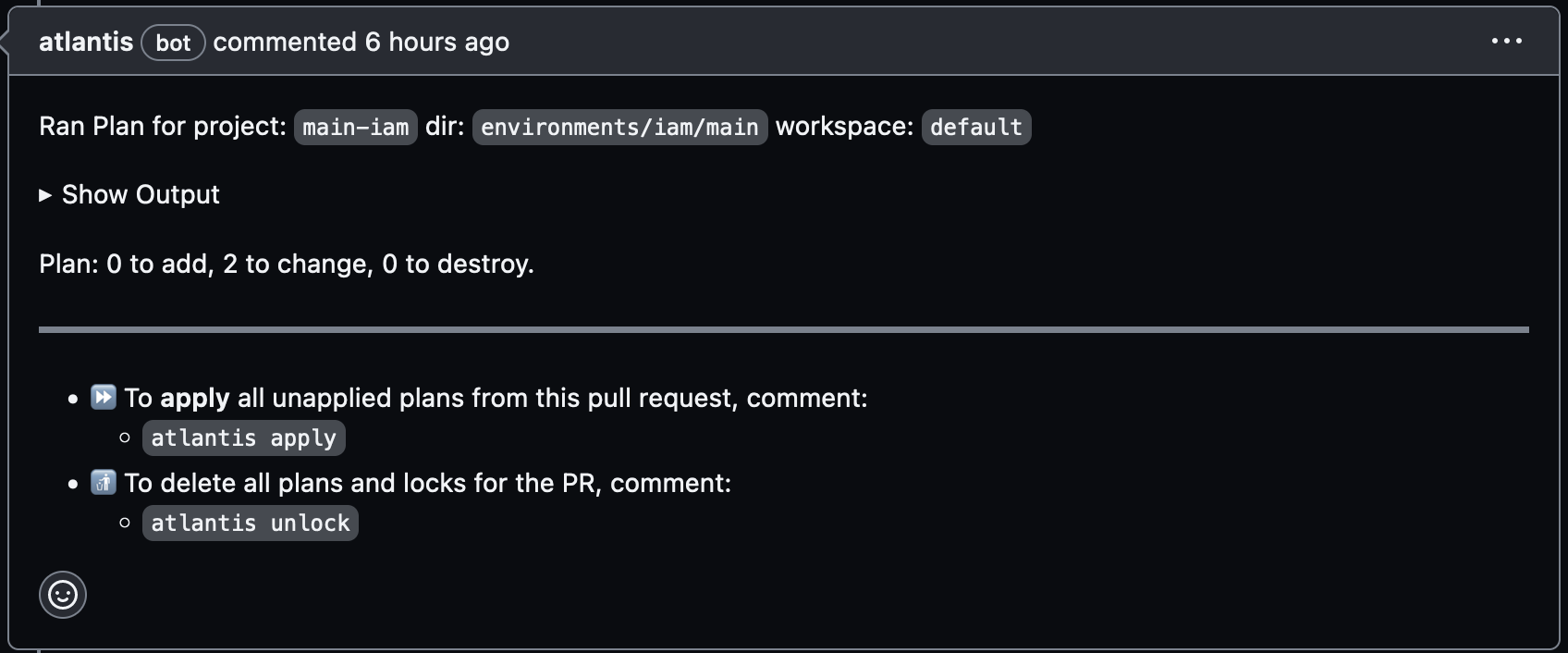
Once your ready to apply comment atlantis apply
Notes
If you need custom configuration for a single project add to the root of the repo a file called atlantis.yaml. See documentation on configuring the file here
With having something automatically run code security issues arise, such as grabbing credentials.
There is no perfect solution to this I have found, but here are some of my thoughts on it
- Script to check providers being used vs a whitelist
- Scan code to look for provisioners (local & remote exec)
Atlantis has built in OPA checks using conftest.
|
|
Whats Next
Create custom workflows that will lint your code and check it for security issues.
Send webhooks when Atlantis deploys your code
If there are any questions reach out to me or on Atlantis Slack.